10 Best Tools for Web Development

Co-Founder
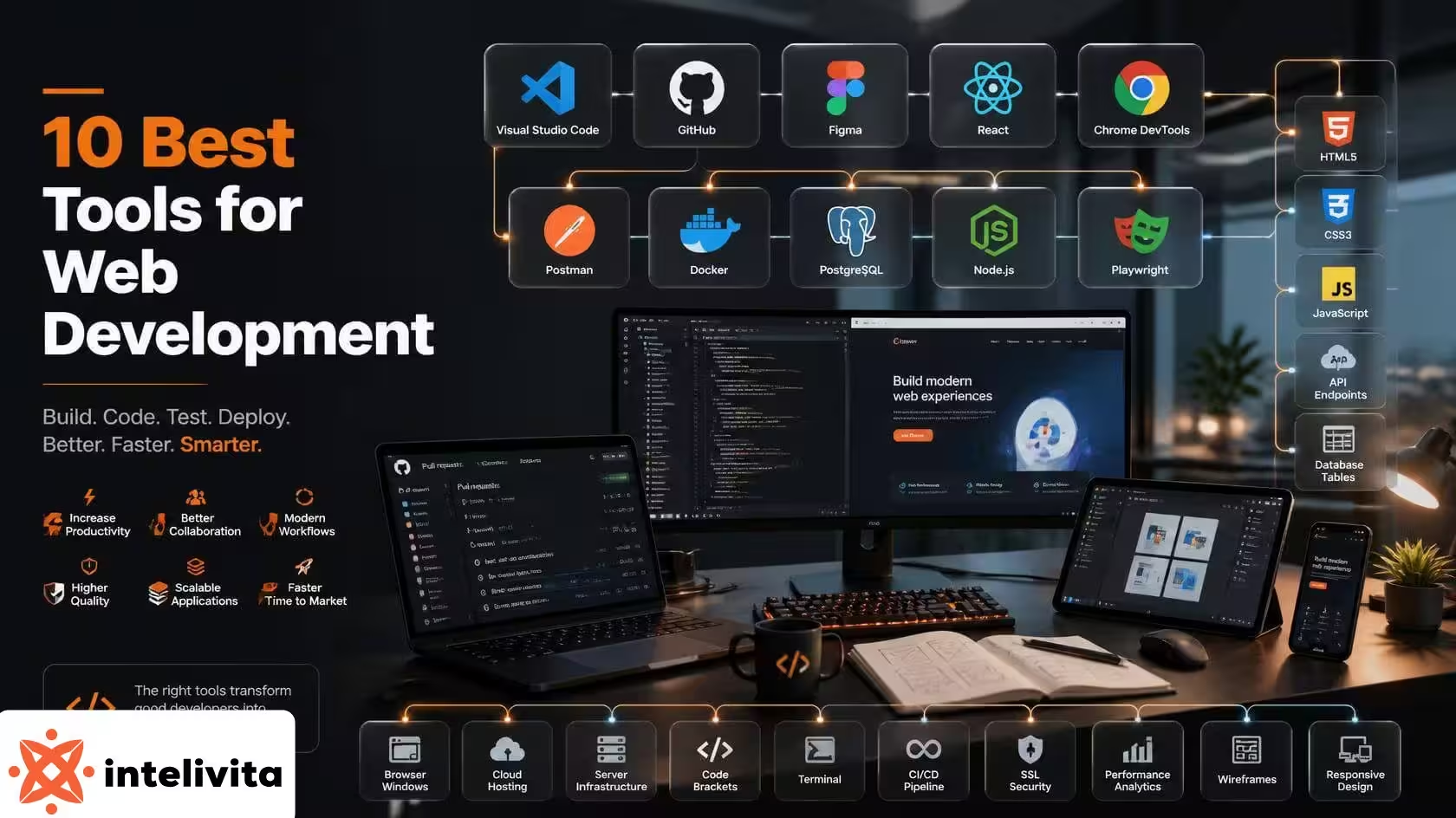
Best tools for web development cover every category a project touches, from code editors and frameworks to version control, design, collaboration, and deployment systems. The best web developer tools cut manual, repetitive work in a project's full lifecycle, letting teams ship tested websites instead of assembling every piece by hand.
Teams building from London or Manchester rely on knowing which tools used in web development fit a given project stage, since that choice separates a build from a slow, error-prone one. Choosing the right web development tools from the start keeps the build on schedule.
The categories of web development tools are listed below.
- Code Editors: Tools like Visual Studio Code provide syntax highlighting, debugging, and IntelliSense for writing HTML, CSS, and JavaScript.
- Frameworks: Libraries like React and Angular structure interfaces into reusable components instead of hand-coded markup.
- Version Control Systems: Git tracks every code change, letting teams branch, merge, and revert without losing prior work.
- Design Tools: Platforms like Figma let designers prototype interfaces and sync edits with developers in real time.
- Collaboration Platforms: GitHub centralises pull requests, code review, and issue tracking for distributed teams.
- Deployment Tools: Docker packages applications with their dependencies into portable containers for consistent releases.
1. Visual Studio Code
Visual Studio Code is an editor Microsoft launched in 2015, pairing Chromium for UI rendering with Node.js for system-level access, splitting a main process, renderer, and extension host for stability. The 2025 Stack Overflow survey put its adoption at 75.9% with over 49,000 respondents.
Visual Studio Code gives developers a lightweight editor in which Monaco drives editing and IntelliSense. The Language Server Protocol and Debug Adapter Protocol separate language debugging, allowing plugins to add new languages for C++, Python, and Rust.
2. GitHub
GitHub is a platform founded in 2008 and acquired by Microsoft in 2018 for £5.62 billion. The distributed version control system, for hosting repositories and tracking code history, was built around Git. It turns solo version control into team-wide collaboration, layering pull requests, issues, and CI/CD automation through GitHub Actions on top of Git's branching and merging model.
The platform hosts 180 million-plus developers and 630 million-plus repositories, with GitHub Copilot reaching over 20 million users in VS Code, Eclipse, and Xcode integrations.
3. Git
Git is a distributed version control system that Linus Torvalds wrote in 2005 to replace BitKeeper for tracking the Linux kernel's source, storing snapshots as immutable objects identified by SHA-1 hashes.
Git gives every clone a full local repository with complete history, letting branching, merging, and commits run offline without a central server. It remains the dominant DVCS underpinning platforms like GitHub, GitLab, and Bitbucket, with no successor tool close to replacing it after two decades.
4. Node.js
Node.js is an open-source JavaScript runtime that Ryan Dahl built in 2009 on Google's V8 engine, pairing a non-blocking I/O model with libuv to sidestep the thread-per-connection limits of servers like Apache. Node.js turns JavaScript into a concurrency model, handling thousands of connections through the event loop while offloading blocking work to a thread pool.
NPM's registry counts over 2.1 million packages, and nearly half of professional developers rely on Node.js for backend and full-stack work.
5. React
React is a JavaScript library Facebook released publicly in 2013, engineered around a Virtual DOM that diffs and reconciles only the changed elements instead of touching the real DOM directly.
React turns UIs into a tree of reusable, encapsulated components written in JSX, so state updates flow one-way and trigger selective re-renders instead of full page reloads. React holds roughly 44.7% market share among front-end frameworks and powers over 11 million websites, including Netflix, Instagram, and Airbnb.
6. Angular
Angular is a TypeScript-based framework Google rewrote from scratch in 2016, breaking compatibility with the earlier AngularJS to adopt an architecture with hierarchical dependency injection instead of controllers and scopes.
Angular bundles routing, forms, an HTTP client, and testing tools into one opinionated platform, so large teams get built-in structure rather than assembling separate libraries for each concern. Angular sits at 18.2% developer adoption per Stack Overflow, running production systems at Microsoft, IBM, and PayPal.
7. Vue.js
Vue.js is a progressive JavaScript framework Evan You built after finding Angular too heavy at Google, distilling declarative data binding and reactive DOM updates into a lighter core. Vue lets teams adopt it, tracking dependencies through a proxy-based reactivity system. Only the components touched by a state change re-render, without manual memoisation. Vue ranks second among front-end frameworks at roughly 44.8% developer usage.
8. Bootstrap
Bootstrap started as an internal Twitter project by Mark Otto and Jacob Thornton, released as open source in August 2011 to standardise typography, forms, buttons, and navigation in sprawling teams.
A twelve-column, mobile-first grid built with containers, rows, and predefined classes lets developers structure layouts without writing custom CSS breakpoints for every screen size. W3Techs counts Bootstrap on 19.2% of all websites, and it ranks among GitHub's most-starred repositories with over 164,000 stars.
9. Figma
Figma was built inside the browser using WebGL, launching publicly in September 2016 after betting that web rendering matches native desktop performance. Real-time multiplayer editing sits at the core of Figma's design, letting designers, developers, and product managers see each other's cursors and edit the same file instead of emailing files back and forth.
Adobe's £14.98 billion acquisition bid collapsed in 2023 under regulatory pressure, and Figma went public on the NYSE in July 2025, commanding an estimated 80% share of the design tool market.
10. Docker
Docker was created at PyCon in March 2013, packaging an application with its dependencies into a portable container instead of a full virtual machine with its own guest kernel. Linux namespaces isolate a container's process IDs, network stack, and filesystem view.
The cgroups cap its CPU, memory, and I/O consumption, and OverlayFS stacks read-only image layers under one writable layer. Docker Hub remains the largest container registry as of 2026, though containerd has largely replaced Docker Engine as the runtime inside production Kubernetes clusters.
What are Web Development Tools?
Web development tools are a broad category of software ranging from code editors, version control systems, browser inspectors, task runners, and testing frameworks that let developers write, debug, and ship websites and web applications. IDEs like VS Code catch errors and manage syntax. Git tracks and merges code changes in teams, and browser consoles inspect the DOM and profile network requests.
The bundlers like Webpack automate minification and asset optimisation. The tools cover the full lifecycle from writing HTML, CSS, and JavaScript through deployment, cutting the manual, repetitive work developers previously did by hand.
Why are Web Development Tools Important for Developers?
The reasons web development tools are important for developers are listed below.
- Automation: Task runners and bundlers like Webpack handle minification, compilation, and asset optimisation without manual repetition.
- Rapid Prototyping: Frameworks and pre-built components let developers assemble functional interfaces in 2-3 hours instead of writing every element from scratch.
- Real-Time Debugging: Browser consoles (Chrome DevTools) expose DOM structure, network requests, and JavaScript errors in execution.
- Code Consistency: Linters and formatters enforce uniform syntax and style rules in a codebase, reducing structural errors.
- Cross-Browser Compatibility: Testing suites (Playwright) validate rendering and functionality in Chrome, Firefox, and Safari before deployment.
- Performance Auditing: Tools (Lighthouse) measure load times, Core Web Vitals, and accessibility gaps, pointing to specific bottlenecks.
- Version Tracking: Git records every code change with commit history, letting teams revert, branch, and merge without losing prior work.
- Team Coordination: Platforms (GitHub) centralise pull requests, code review, and issue tracking so distributed teams stay synchronised. A toolchain builds how a web developer ships reliable, tested code from a shared codebase.
How do Web Development Tools Improve the Development Process?
Web development tools improve the development process through automated builds that compile, bundle, and minify code the moment a file changes, removing manual repetition from the workflow.
Browser consoles and linters catch syntax errors and rendering bugs during writing rather than after deployment, so fixes happen at the source. Git and platforms (GitHub) layer version tracking onto the pipeline, letting multiple developers branch, merge, and roll back changes without overwriting each other's work.
What Software and Platforms do Web Development Companies Use?
The software and platforms that web development companies use are listed below.
- Code Editors: Developers write and debug code in Visual Studio Code, using built-in syntax highlighting and IntelliSense.
- Version Control Systems: Teams track code changes and merge contributions through Git, reverting to prior versions without losing work.
- Collaboration Platforms: Teams host repositories and review pull requests through GitHub, keeping distributed contributors synchronised.
- Browser Testing Suites: Companies validate rendering and functionality in Chrome, Firefox, and Safari through Playwright.
- Design Platforms: Designers build wireframes and prototypes in Figma, syncing edits between designers and developers so every web development company delivers a tested interface.
How do Developers Choose the Right Web Development Tools?
Developers choose the right web development tools through project scope, team expertise, and long-term maintenance costs. A small business site favours lightweight tools (Vue.js or Bootstrap), while an enterprise application demands Angular's built-in structure or React's component ecosystem.
Developers weigh a tool's community size, documentation quality, and update frequency, since a poorly maintained library stalls a project years after launch.
Why do Different Web Development Projects Require Different Tools?
Different web development projects require different tools because each project varies in scale, functionality, and expected traffic. A static portfolio site needs only Bootstrap and minimal JavaScript, while an e-commerce platform needs React or Angular to manage inventory, user accounts, and real-time updates.
A project's budget and timeline dictate the choice, since a startup with a tight deadline picks free, low-maintenance tools over the specialised stacks that larger companies with teams support.
What Features Should Developers Look for in Web Development Tools?
The features developers should look for in web development tools are listed below.
- Ease of Integration: A tool connects with existing frameworks, libraries, and version control systems like Git.
- Active Community Support: Developers troubleshoot faster when a tool has extensive documentation and an active user base.
- Cross-Platform Compatibility: A tool functions in operating systems, browsers, and device types.
- Regular Updates: A tool's maintainers release frequent patches that address security vulnerabilities and compatibility issues.
- Extensibility Through Plugins: A tool supports custom plugins or extensions, letting teams add niche functionality without switching platforms.
Are Free Web Development Tools Sufficient for Professional Projects?
Yes, free web development tools are sufficient for professional projects because VS Code, Git, React, and Docker power production systems at companies (Netflix and PayPal) without licensing costs. Teams only turn to paid tiers for enterprise-specific needs like dedicated support contracts, advanced security compliance, or higher API rate limits.
What are the Best Code Editors for Web Development?
The best code editors for web development are listed below.
- Visual Studio Code: Developers extend the editor with plugins for nearly every language, pairing Monaco-driven editing with IntelliSense and built-in Git integration.
- Sublime Text: The editor loads large files and offers multi-cursor editing for developers who prioritise raw speed over built-in features.
- WebStorm: JetBrains built this IDE with deep JavaScript and TypeScript support, catching errors through real-time code analysis before a file even runs.
- Atom: GitHub's now-archived editor let teams customise nearly every function through community packages before development ceased in December 2022.
- Vim: Developers navigate and edit code through keyboard commands, avoiding the overhead of a mouse-driven interface.
- Notepad++: The lightweight editor opens on Windows machines, giving developers basic syntax highlighting without the resource demands of a full IDE.
Why is a Code Editor Important for Web Developers?
A code editor is important for web developers because it catches syntax errors and highlights bugs in real time, before code ever reaches a browser. Features (IntelliSense) and built-in Git integration cut down repetitive typing and version-control friction, letting developers focus on logic instead of setup.
What are the Best Front-End Development Tools?
The best front-end development tools are listed below.
- React: The library diffs and reconciles only changed elements through a Virtual DOM, triggering selective re-renders instead of full page reloads.
- Vue.js: The progressive framework tracks dependencies through a proxy-based reactivity system, re-rendering only the components touched by a state change.
- Angular: The TypeScript-based framework bundles routing, forms, and an HTTP client into one opinionated platform for large-scale interfaces.
- Bootstrap: The framework's twelve-column, mobile-first grid lets developers structure layouts without writing custom CSS breakpoints for every screen size.
- Figma: Designers prototype interfaces in real time, syncing edits with developers so every layout matches the final build before code is written.
- Sass: The CSS preprocessor adds variables, nesting, and mixins, giving developers reusable styling logic in a front-end web development project.
Can Front-End Frameworks Speed Up Website Development?
Yes, front-end frameworks speed up website development through pre-built components that replace custom markup for buttons, forms, and navigation menus. React and Vue.js re-render only the elements affected by a state change, removing the manual DOM manipulation developers once wrote by hand. Angular bundles routing, forms, and an HTTP client into one platform, so teams skip assembling separate libraries and rely on web development frameworks already provide.
What are the Best Back-End Development Tools?
The best back-end development tools are listed below.
- Node.js: This JavaScript runtime handles thousands of concurrent connections through a non-blocking I/O model.
- Django: The Python framework bundles authentication, an ORM, and an admin panel into one batteries-included structure.
- Express.js: The minimal Node.js framework routes HTTP requests and middleware for building REST APIs quickly.
- Ruby on Rails: The framework enforces convention over configuration, scaffolding database models and controllers automatically.
- PostgreSQL: The relational database manages complex queries and transactions with strict data integrity.
- Docker: Applications package their dependencies into a portable container for consistent deployment in environments, a core practice in backend web development.
How do Back-End Tools Support Website Functionality?
Back-end tools support website functionality through server-side logic that processes user requests, queries databases, and returns dynamic content to the browser. Frameworks (Django and Express.js) handle authentication, session management, and routing.
A website remembers logged-in users and serves the correct page for each request. Databases like PostgreSQL store and retrieve data reliably, keeping features (shopping carts, user profiles, and search results) accurate as traffic scales.
What Database Tools are Used in Web Development?
The database tools used in web development are listed below.
- PostgreSQL: The relational database enforces ACID-compliant transactions and supports complex joins in normalised tables.
- MySQL: The relational database uses the InnoDB storage engine to handle row-level locking and foreign key constraints.
- MongoDB: The NoSQL database stores unstructured data as BSON documents, letting schemas evolve without rigid table definitions.
- SQLite: The serverless, file-based database embeds directly into an application, requiring no separate database server process.
- Elasticsearch: The distributed search engine indexes data for full-text search, returning ranked results across large datasets.
How do Developers Manage Website Databases?
Developers manage website databases through schema design, indexing, and query optimisation that keep data retrieval fast as tables grow. Object-relational mapping tools (Sequelize and Django) ORM translate application code into SQL queries, reducing raw query writing and injection risk.
Developers run database migrations to version schema changes and replication to distribute read traffic in multiple database instances.
How do Development Teams Work Together on Projects?
Development teams work together on projects through version control systems like Git, letting multiple developers branch, merge, and review code without overwriting each other's changes.
Daily standups and planning meetings, tracked through tools like Jira, keep each member's tasks visible and aligned with project deadlines. Designers and developers hold design review meetings directly in Figma, syncing interface changes in real time instead of exporting and re-importing static files.
Can Project Management Tools Improve Development Efficiency?
Yes, project management tools improve development efficiency by giving teams a shared view of task ownership, deadlines, and blockers instead of scattered status updates in emails and chats.
Tools break large projects into sprints, letting teams catch delays early and reprioritise tasks before a deadline slips. Centralised boards cut the time developers spend in status meetings, since progress stays visible without requiring a verbal update.
What are the Best Design Tools for Web Development Projects?
The design and prototyping tools used to plan website interfaces are listed below.
- Figma: Designers build wireframes and interactive prototypes, syncing edits with developers in real time through one shared file.
- Adobe XD: The tool pairs vector-based design with prototyping, letting designers link screens into a clickable flow.
- Sketch: Mac-based teams design interfaces using reusable symbols and a plugin ecosystem for exporting assets.
- Canva: Teams create quick visual assets (banners, icons, and social graphics) without a steep design learning curve.
- InVision: Designers turn static mockups into clickable prototypes, collecting developer and stakeholder feedback in one place.
- Adobe Photoshop: Designers plan layout, colour, and typography for a site through detailed raster mockups, a foundational step in web design
Why is Visual Design Software Important in Web Development?
Visual design software is important in web development because it shapes how users perceive and navigate a site before a single line of code defines its function.
Tools let designers test layout, colour, and typography choices against real user flows, catching confusing navigation or poor contrast early. Consistent use of a brand's fonts, colours, and iconography in every screen builds the visual trust that keeps users on a site instead of bouncing to a competitor.
Never Miss an Update From Us!
Sign up now and get notified when we publish a new article!


 India
India
514, Silver Radiance 2, Science City Rd, Nr. Shakti Arcade, Sola, Ahmedabad, Gujarat